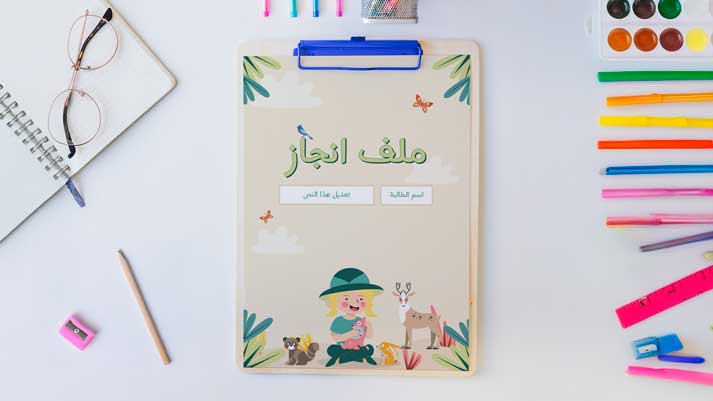
Achievement file design

Achievement File

A ready-to-print portfolio design is available. A portfolio is a student record containing their academic achievements, demonstrating their progress throughout the school year. It includes various sections such as subjects, assignments, and tests, as well as the school schedule and daily tasks. The portfolio aims to enhance students' academic performance, increase their engagement with the learning process, boost their sense of pride in their accomplishments, develop their organizational skills, and effectively serve as a link between school and home.

The portfolio is not limited to academic documentation; there is also a portfolio for creative works and an educational portfolio for monitoring the child's behavior. Therefore, it is the teacher's duty to explain the purpose of the portfolio to the child and the family, raise their awareness of its importance, train the children on how to organize and maintain it, and continuously involve the family in its contents, providing effective feedback to increase the child's achievement and improve their performance.

  • A student portfolio with an attractive design and diverse sections
  • The template is compatible with all Office PPT versions.
  • Encouraging students to keep their achievements in one file
  • Increase student pride in their achievements
  • This facilitates the teacher's work in monitoring students' learning progress, thus saving him time.
  • Activating active learning
  • Increased interaction between teacher, child, and parents
  • A portfolio is considered an effective tool for comprehensive assessment.
  • It helps in detecting learning difficulties early.
  • Encourages the child to express himself
  • Increasing the child's sense of responsibility
  • Beautiful design and fun cartoon characters help encourage the child to take an interest in and connect with the file.
  • The ability to format the file appropriately to the student's needs
  • To edit this template, you will need PowerPoint. If you have the Microsoft Office suite installed on your computer, you can find PowerPoint in the Start menu, but if not, you must first purchase and install it by visiting the Microsoft website.
  • When you open the file for the first time, you must click on “Enable Editing” when this message appears at the top of the screen in order to be able to view and edit the file .
  • Instructions for use are included with the last slide.

Achievement file design

To follow the latest templates and tutorials, follow Our Twitter account

This template was designed by Inggez and no one has the right to republish or distribute template files or modified versions on other sites without written permission from Inggez
Similar Posts