Among us powerpoint game free

 PowerPoint games

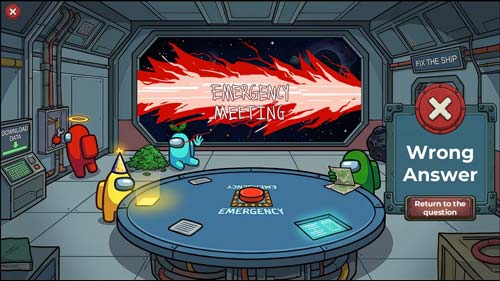
among us PowerPoint game free. The idea of this innovative template is based on the famous game Among Us, where students work together to complete the mission of repairing the spaceship. However, among them there is an “impostor” who tries to confuse the team and lead them to choose wrong answers in order to delay the repair of the spaceship. This game adds an element of excitement in discovering the impostor and answering questions correctly to complete the spaceship repair as quickly as possible.

The teacher can easily insert subject questions into the template, with the ability to increase the number of questions by simply duplicating slides, without affecting the gameplay.
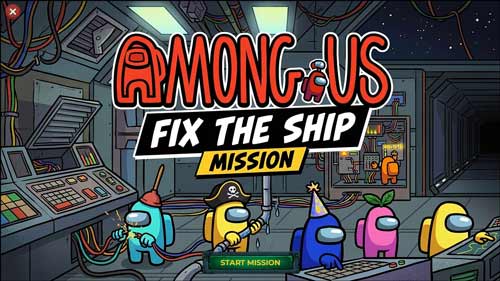
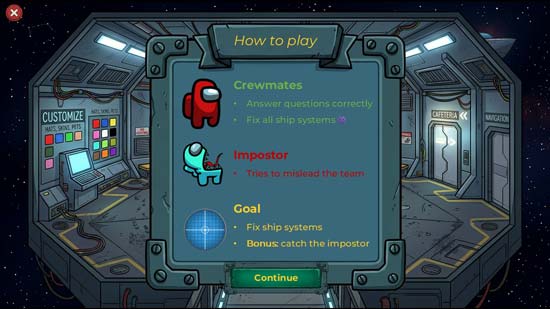
  • ِAmong us powerpoint game template
  • The template is compatible with Office 2013 or later.
  • The template is not compatible with Office Mobile or iPad.
  • An attractive design for the popular game among students, which enjoys great popularity among them.
  • Increase student interaction and participation within the classroom
  • Make boring lessons more fun by adding an element of competition.
  • Suitable for in-class and remote lessons
  • It supports adding an unlimited number of questions to the template.
  • Suitable for lessons and reviews before school tests and competitions
  • Promoting cooperation and teamwork among students
  • Saving the teacher time in preparing a PowerPoint presentation from scratch
  • Suitable for a wide range of ages
  • The game is suitable for all school subjects and occasions.
  • Training students in skills such as decision-making and analysis by trying to find the fraudster
  • Increasing positivity in the educational environment
  • Increased interaction among students to discuss questions and choose the correct answer
  • The teacher's ability to customize the teacher to suit their subject matter, where the number of questions can be increased, images and texts customized, colors and sounds changed, and the number of players increased.
  • Increased student focus and attention to educational content
  • Increase student motivation to learn and participate
  • Breaking the monotony and routine of classes
  • Improving students' comprehension of course material
  • Transforming lessons into an exciting adventure in which the student is a part.
  • Supporting strategies for using technology in learning
  • The template does not require any additional software other than Microsoft PowerPoint.
  • The game is easy for beginner teachers to use in PowerPoint.
  • Create an atmosphere of excitement within the classroom by using the imposter strategy.
  • Providing an educational experience similar to video games
  • To edit this template you will need PowerPoint. If you have Microsoft Office installed on your computer, you can find PowerPoint in the Start menu. If you don't find it, you must first purchase and install it by visiting the Microsoft website. .
  • When you open the file for the first time, you must click on “Enable Editing” when this message appears at the top of the screen in order to be able to view and edit the file .
  • Instructions for use are included with the last slide.

This template was designed by Inggez and no one has the right to republish or distribute template files or modified versions on other sites without written permission from Inggez

Similar Posts