Anna and Elsa's Challenge

 PowerPoint games

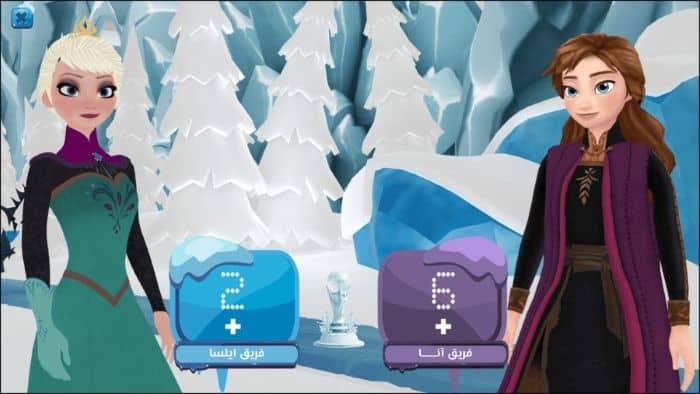
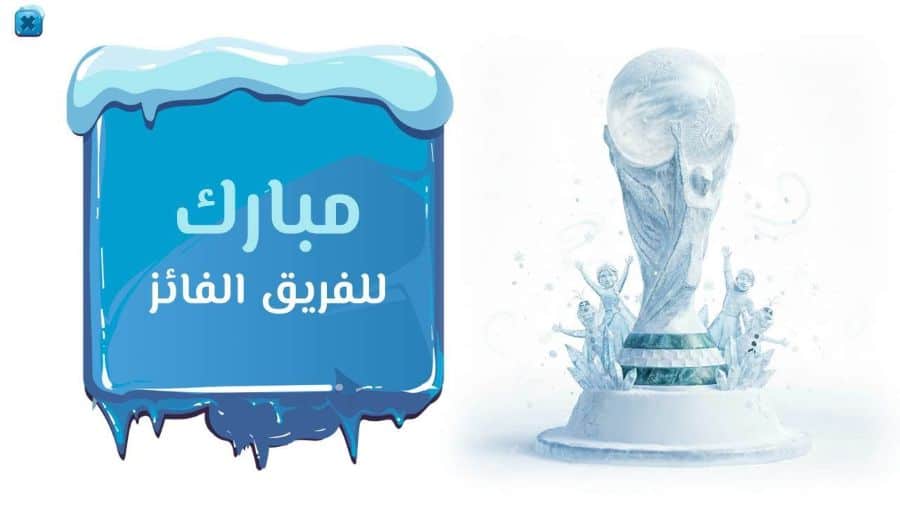
A scoreboard for a competition or activity between two teams in the magical world of Frozen can be displayed in the classroom. This board is not only a tool for displaying competition scores but also an educational aid that contributes to increased enthusiasm and motivates both teams to win, transforming the classroom into an exciting and enjoyable experience for students. Furthermore, it makes students feel at the center of the competition and, consequently, the learning process, thus enhancing their engagement with the lessons. The scoreboard also fosters team spirit, promoting cooperation among students, a sense of individual importance, and mutual respect.

Using the whiteboard also creates a positive atmosphere among students and encourages them to participate, as when a student sees their effort translated into points on the screen, it generates additional motivation for them to exert their utmost effort to help their team win the competition.

  • A scoreboard showing the results of a challenge-style competition between Anna and her sister Elsa in the world of Frozen.
  • The template is compatible with Office 2013 or later.
  • The template is not compatible with Office Mobile or iPad.
  • Encouraging active learning
  • It provides the teacher with a powerful tool to break the monotony of classrooms and transform learning into an enjoyable atmosphere.
  • Increase the atmosphere of fun and enjoyment in the classroom
  • Encouraging cooperation and teamwork among students
  • Improving students' understanding and focus
  • Spreading the spirit of positive competition among students
  • It can be used in all study subjects
  • Increased discipline, adherence to rules, and striving to win fairly.
  • Promoting acceptance of loss and respect for others
  • A beautiful and attractive design for students, especially female students.
  • Enhancing student motivation
  • To edit this template, you will need PowerPoint. If you have the Microsoft Office suite installed on your computer, you can find PowerPoint in the Start menu, but if not, you must first purchase and install it by visiting the Microsoft website.
  • When you open the file for the first time, you must click on “Enable Editing” when this message appears at the top of the screen in order to be able to view and edit the file .
  • Instructions for use are included with the last slide.

Anna and Elsa's Challenge

To follow the latest templates and tutorials, follow Our Twitter account

This template was designed by Inggez and no one has the right to republish or distribute template files or modified versions on other sites without written permission from Inggez
Similar Posts