The Search for Alice Game

 PowerPoint games

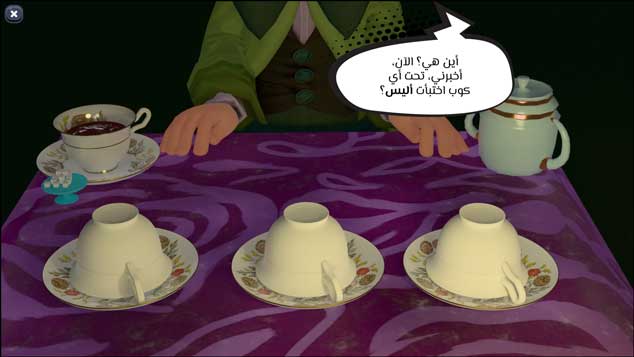
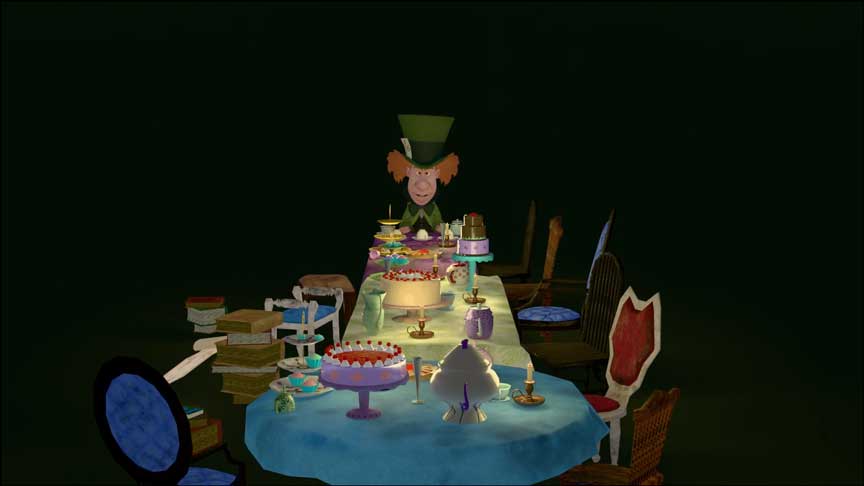
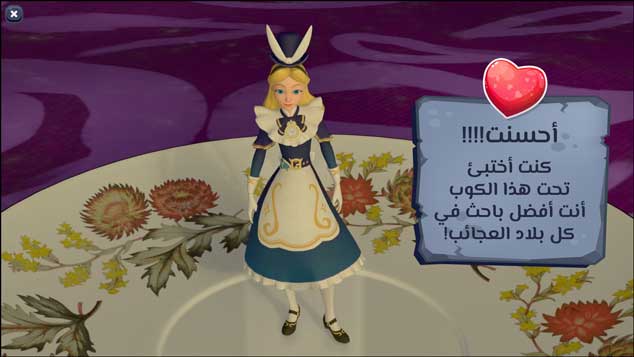
A ready-made PowerPoint game for adding multiple-choice questions or sentence completions in an engaging storytelling style. The idea is based on Alice's Wonderful World, full of strange and crazy characters. The game begins with the Mad Hatter welcoming the student to his peculiar tea party and challenging him to find Alice, who is hiding under one of three teacups. Upon the student's acceptance, the Mad Hatter begins moving the teacups at an incredibly high speed, ensuring the student will fail to choose the correct one until all the questions prepared by the teacher have been answered. When the student fails to choose the correct teacup, a cube with a question mark appears, followed by the subject-related question in the form of a multiple-choice question with three options.

This template can be used in many academic fields. It can be used to introduce a lesson to encourage students to focus and capture their attention, or to review a lesson presented in the previous session to remind students, or in various other activities.

  • The PowerPoint game set in Alice's Wonderful World is ready for the addition of interactive questions.
  • The template is compatible with Office 2013 or later.
  • The template is not compatible with Office Mobile or iPad.
  • The template is distinguished by its use of PowerPoint software, which is available to all teachers and easy to use.
  • Increasing the spirit of challenge and competition among students
  • Developing social skills and cooperation at school
  • An effective way to attract students' attention and avoid boredom in lessons
  • The template can be customized to suit different study materials.
  • Ensuring audience engagement, the template features fun and attractive cartoon graphics.
  • The template can be used within school classrooms or for distance (online) education.
  • The template allows for easy integration with user-specific text and images.
  • To edit this template, you will need PowerPoint. If you have the Microsoft Office suite installed on your computer, you can find PowerPoint in the Start menu, but if not, you must first purchase and install it by visiting the Microsoft website.
  • When you open the file for the first time, you must click on “Enable Editing” when this message appears at the top of the screen in order to be able to view and edit the file .
  • Instructions for use are included with the last slide.

The Search for Alice Game

To follow the latest templates and tutorials, follow Our Twitter account

This template was designed by Inggez and no one has the right to republish or distribute template files or modified versions on other sites without written permission from Inggez


Similar Posts