Aim Right! Game 🎯

 PowerPoint games

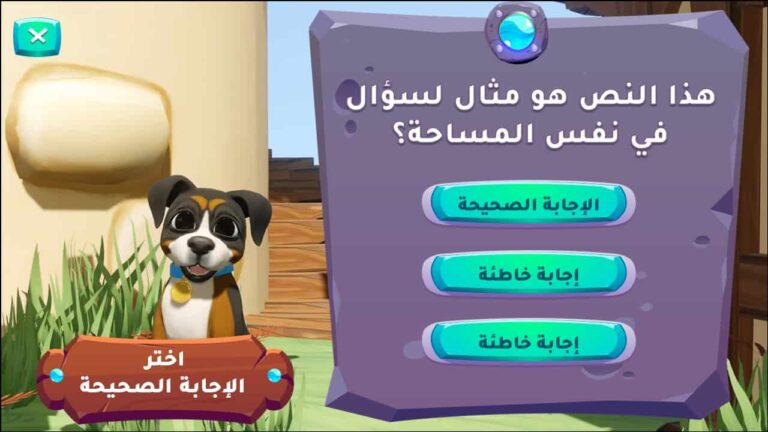
The "Aim Right" PowerPoint game is based on the innovative and unconventional idea of the character Saham, a warrior girl who practices archery in the forest using a bow and arrows. The game begins by helping the student practice hitting the target, as each correct answer means hitting the target and each incorrect answer means missing the arrow. This game helps create an exciting experience and encourages the student to participate in answering questions.

The educational presentation system is based on a very simple idea: displaying a question on the screen and offering three choices, from which the student must select the correct answer. However, what distinguishes this simple idea is the method of presenting the results. Instead of using the traditional method of displaying the result (correct or incorrect answer), the result is transformed into an exciting visual event: an arrow launched swiftly from a bow, accompanied by sound and visual effects that ignite the students' enthusiasm and increase anticipation for the answer to the question.


  • The "Aim Right" game is ready to have educational content added.
  • The template is compatible with Office 2013 or later.
  • The template is not compatible with Office Mobile or iPad.
  • The combination of sound and visual effects makes the experience full of excitement and thrill.
  • Attractive and cute design for children
  • The template is easy for teachers to modify and operate.
  • The game does not require internet access to play inside the classroom.
  • The game can be customized for all school subjects.
  • An effective educational tool for reviewing lessons and ensuring student understanding in a fun and engaging way.
  • The idea is simple and easy to implement.
  • Reducing students' fear of answering incorrectly by adding an element of humor
  • Encouraging students to try until they hit the target correctly
  • Developing positive interaction between student and teacher
  • Making long lessons more fun and interactive
  • Combining storytelling, fun, and learning in an engaging way
  • Easy to use on any device that has PowerPoint software installed.
  • The template can be customized to suit each teacher's needs.
  • Developing a love of learning and knowledge in the hearts of young learners
  • Adding an element of fun by showing the arrow hitting a tree or rock if the answer is incorrect
  • Activating active learning and increasing students' motivation to learn
  • Developing creativity and imagination in children
  • To edit this template, you will need PowerPoint. If you have the Microsoft Office suite installed on your computer, you can find PowerPoint in the Start menu, but if not, you must first purchase and install it by visiting the Microsoft website.
  • When you open the file for the first time, you must click on “Enable Editing” when this message appears at the top of the screen in order to be able to view and edit the file .
  • Instructions for use are included with the last slide.

This template was designed by Inggez and no one has the right to republish or distribute template files or modified versions on other sites without written permission from Inggez
Similar Posts