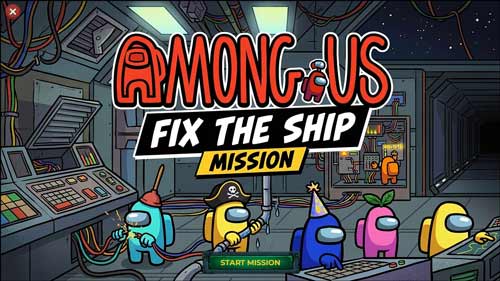
Champions Challenge

 PowerPoint games

A scoreboard displays the results of a competition between two teams, presented in the style of an anime match. Participating students are divided into two teams that compete by answering educational questions. Each correct answer translates into a goal scored against the opposing team. This game helps transform classroom learning from the traditional method into an interactive and exciting experience.

It also encourages students to participate in the competition without fear, in addition to supporting cooperation among students to strive for the correct answer and win the match.
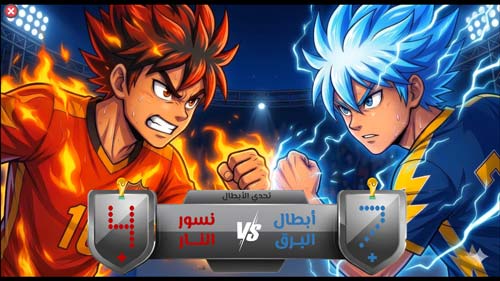

  • Competition scoreboard ready for display
  • The template is compatible with Office 2013 or later.
  • The template is not compatible with Office Mobile or iPad.
  • The ability to easily change team names
  • An effective tool to increase students' motivation to learn
  • Suitable for all different educational levels
  • Create an enthusiastic atmosphere inside the classroom
  • Increase students' sense of accomplishment
  • The possibility of converting the competition into a multi-round tournament.
  • The ability to use the scoreboard for various competitions in different fields such as education, training courses, workshops, and various events.
  • Supporting positive competition within the school
  • Visual and kinetic effects make the experience more enjoyable and closer to the atmosphere of the matches.
  • Helping to review lessons in a fun way
  • The template can be easily modified in PowerPoint.
  • The template is customizable for different study materials.
  • Enhancing focus and attention within the classroom
  • Developing a love of learning and knowledge
  • An effective tool for teachers to evaluate student performance
  • To edit this template, you will need PowerPoint. If you have the Microsoft Office suite installed on your computer, you can find PowerPoint in the Start menu, but if not, you must first purchase and install it by visiting the Microsoft website.
  • When you open the file for the first time, you must click on “Enable Editing” when this message appears at the top of the screen in order to be able to view and edit the file .
  • Instructions for use are included with the last slide.

This template was designed by Inggez and no one has the right to republish or distribute template files or modified versions on other sites without written permission from Inggez

Similar Posts